Manual Enrolment
Adding individual students to your UR Courses site when you need to.
Manual Enrolment
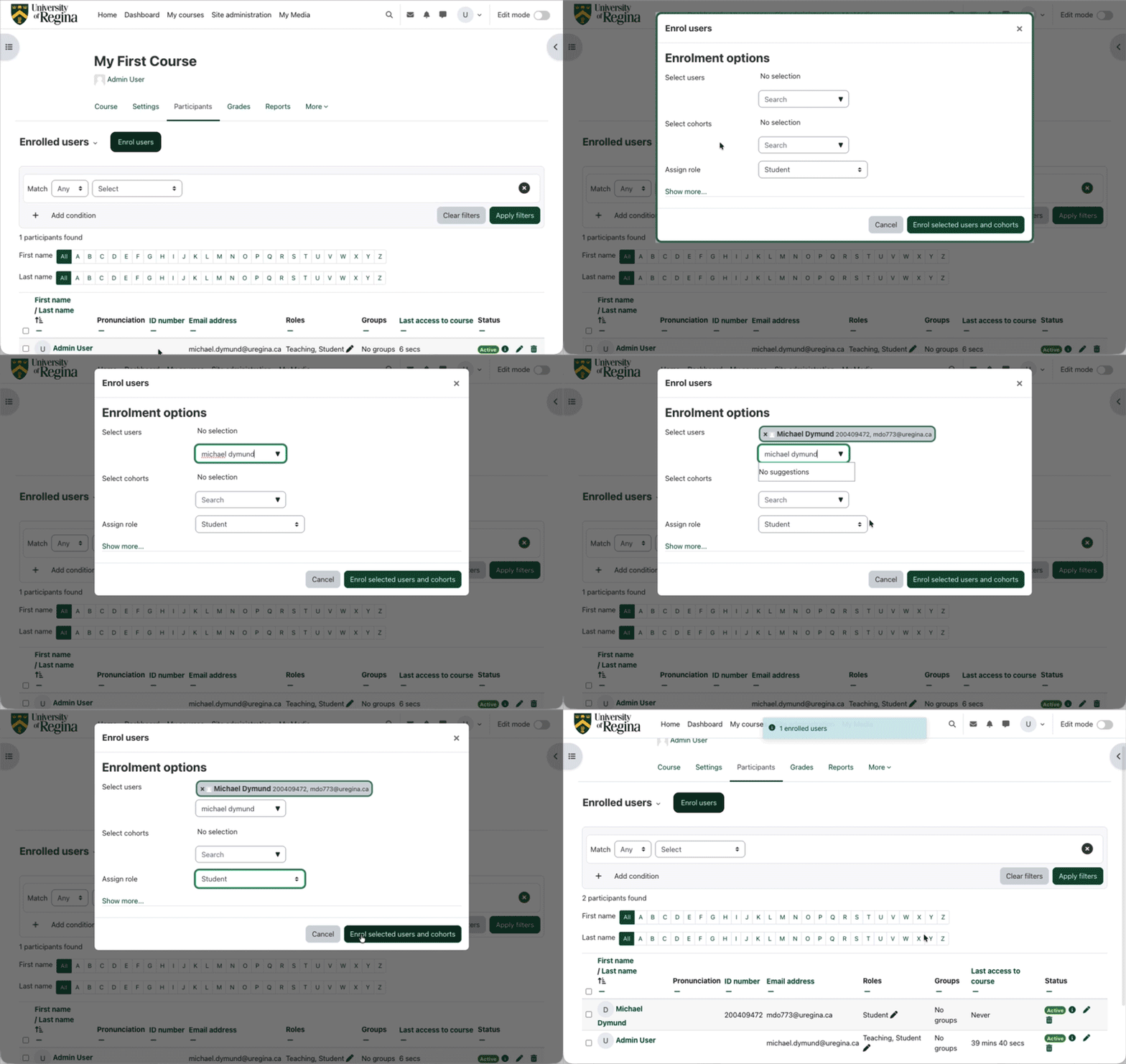
Click the Enrol users button above the participants list. (There is another Enrol users button below it.)
In the Enrolment options form that appears, search for the person that would like to enrol in the course. You can search by name, userusername, or ID number. Click their entry in the list to select them.
Choose the role that they will have in your course with the Assign role menu. The Student role is already selected by default.
You can find additional options, like choosing when they can first access the class, or to limit the number of days they can access the class, by clicking Show more....
When you are happy with your selections click Enrol users. After a moment you should see that person in the list of participants.