Record a New Clip
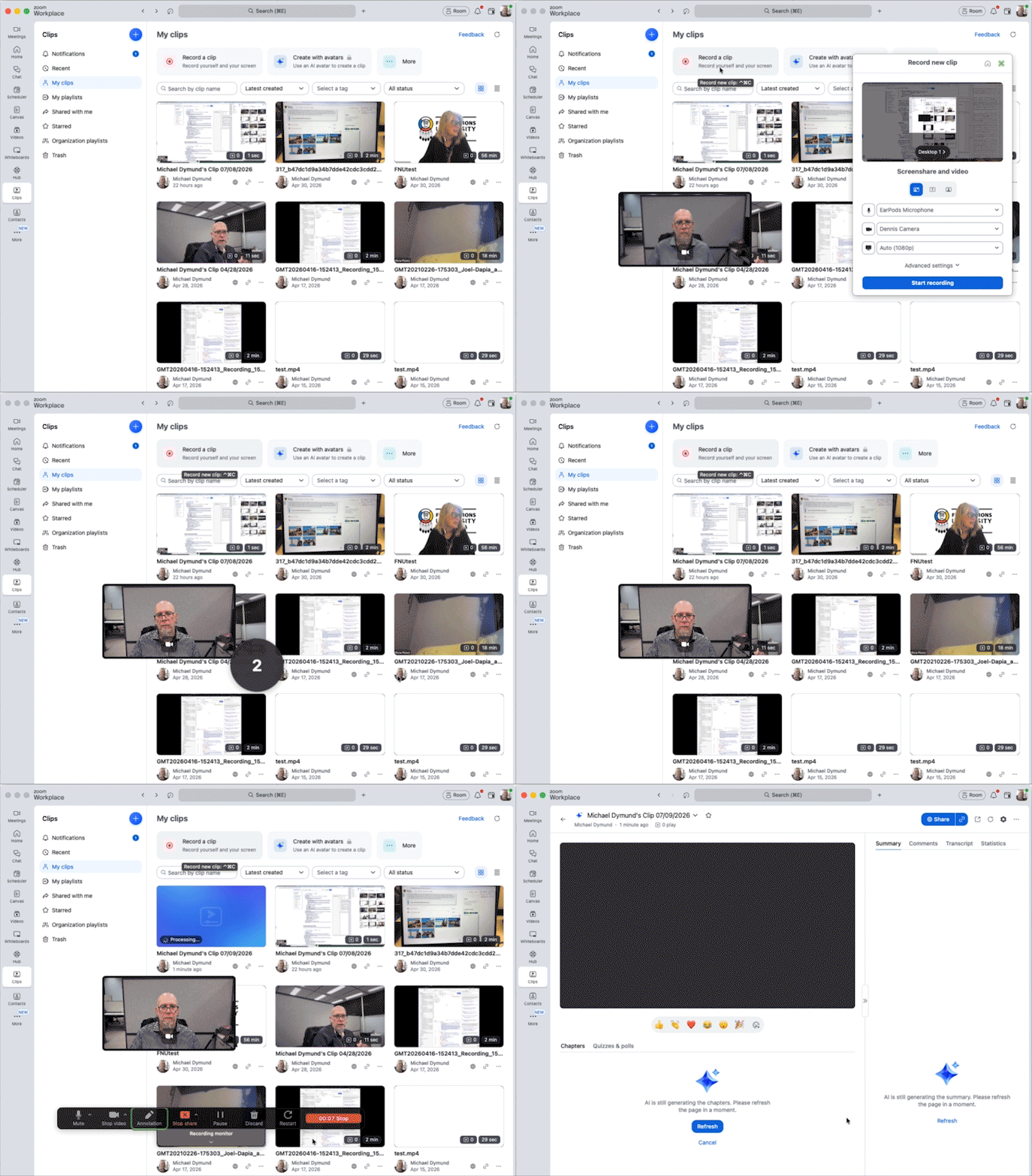
Clips is a part of Zoom, so it will look very familiar.
Record and Share Clips
Once your options have all been setup as you would like, click Start recording. A countdown will appear, and your recording will being once it has finished. While you are recording you will have options to mute / unmute your video or mic, or pause, resume, or restart your recording. On a desktop or laptop you can also change the shared screen or window, or even make notes and hightights on the screen.
Click Stop when you are done recording your Clip.
Once it has finished processing it will appear in your Clips library. From here you can share or download the video.